
Introduction
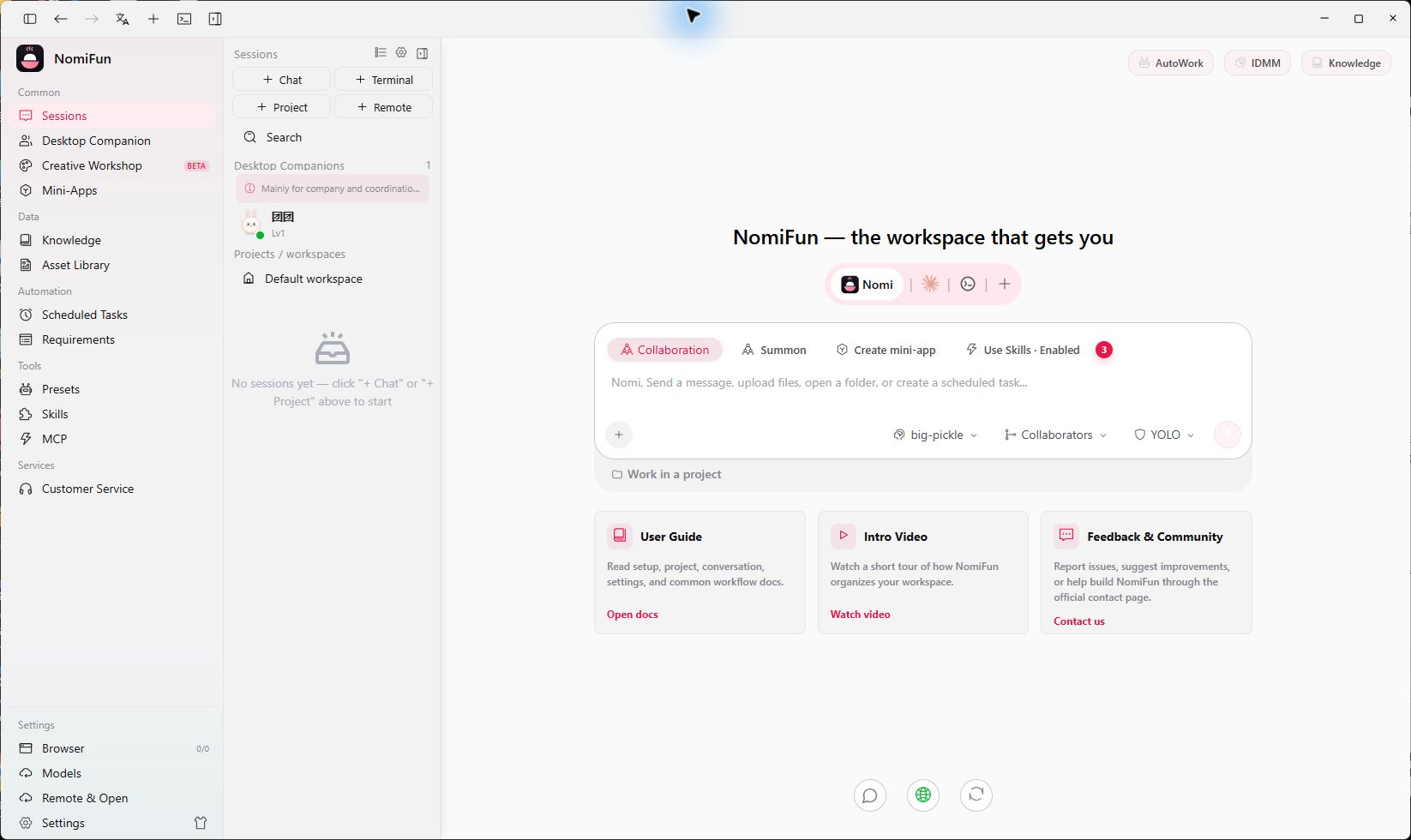
NomiFun is a fully open-source, local-first super AI workstation. It brings Nomi, Claude Code, Codex, OpenCode, conversations and projects, models, Skills, MCP, knowledge bases, automation, and desktop companions into one workspace—so AI can keep doing real work instead of only answering questions.
Core capabilities
The product surface is organized around these capabilities. For the current release and installers, use GitHub Releases and the app’s About page as the source of truth:
- Desktop apps for Windows, macOS, and Linux: GitHub Releases includes Windows x64, macOS Universal, plus AppImage, Debian, and RPM packages for Linux x86_64.
- Skills and Skill Market: manage installed Skills, browse ClawHub and SkillHub rankings, inspect details, filter results, and hand a reviewed installation to Nomi.
- Reusable presets: save an agent, model, Skills, knowledge bases, and prompt requirements as one reusable setup.
- Speech input and local ASR: record for transcription using a cloud speech model, local Whisper, or Chinese-optimized FunASR.
- Workspace UI: Rhythm Dark is the default theme, navigation and settings are organized around daily workflows, available updates appear in the sidebar, and Browser Use opens a visible system browser by default.
- OpenClaw remote control: connect and validate a remote OpenClaw agent, then use it as an execution backend when starting a conversation.
What you can do
- Start conversations and projects: choose an agent, model, preset, Skills, and workspace for each job; follow the execution stream and inspect results in the file tree, preview, and terminal.
- Collaborate with multiple agents: turn on collaboration, split a complex goal across agents, follow live progress, adjust the plan, and answer questions from the collaboration panel.
- Manage models and execution engines: configure model services and external agents in one place, with provider ordering, fallback models, and multimodal capabilities.
- Build reusable knowledge: organize project material in knowledge bases, capture repeatable workflows as Skills, and combine them into presets.
- Automate ongoing work: use scheduled tasks, Requirements, and AutoWork to keep work moving while you are away.
- Work from another device: use the desktop app locally, or enable WebUI for a phone, tablet, or another computer on the same trusted network.
Who it is for
NomiFun is for individuals and teams already using AI agents for real work who want one place for terminals, browsers, model configuration, project knowledge, and automation. It stays under your control: the app is completely free, has no ads or membership, and stores data on your device by default.
Next steps
- Install NomiFun
- Complete your first conversation
- Use Skills and Skill Market
- Create reusable presets
- Configure speech input
Source code and release history → GitHub