A no-holds-barred super AI workstation everything you imagine an AI workstation to be
Rich, inventive capabilities and serious productivity gains. All data stays local and is never sent out on its own — safe for individuals and enterprises alike, free to commercialize, open to audit.
- Open source · Local data
- Evolving companions
- Unattended automation
- Open ecosystem
- config one, use anywhere
- Truly native
- Built for productivity
- All data stays local
- Apache-2.0 open source
- Free commercial use · no ads
- Open source · open to audit
Security is the foundation — everything else builds on it
No capability is worth peace of mind if the product quietly ships your data elsewhere. So we lay the foundation first.
Why should your chats, files and memory pass through someone else’s servers first?
Data is all-in-local and never sent out on its own. The single outbound call is your request to the LLM vendor you configured — there is no other third-party network integration.
To earn your trust, we deliberately did less
We cut several advanced, fun features — the open-source build ships without them for now — because the data safety of every user and every developer comes first. Those capabilities return once they are mature and controllable.
See the Roadmap for what’s nextYour device
SQLite as the single source of truth · isolated work dir per session
- Chats & history
- Knowledge & skills
- Companion memory
Local storage
Everything lives on your machine: SQLite is the single source of truth, and every session gets its own isolated working directory.
all-in-localOpen & auditable
Fully open-source under Apache-2.0. The code is public and open to audit — how data flows, and whether it leaves, is all visible.
Apache-2.0Free forever, commercial OK
Free for commercial use. No ads, no membership, no paywall — safe for individuals and enterprises to rely on long-term.
no ads · no membershipThe more you use it, the better it knows you.
Companions that grow with you
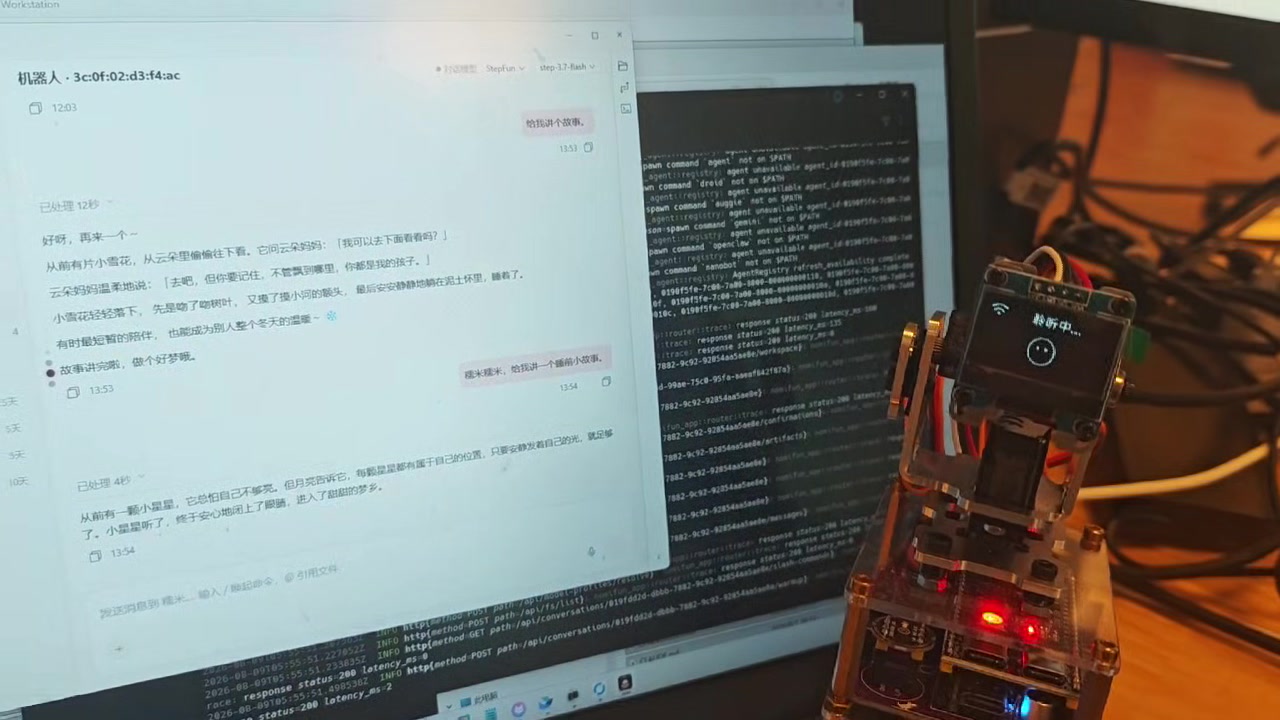
Three built-in characters — Mochi the mochi bunny, Ink the amber-eyed cat, and Bolt the hovering robot, all hand-drawn in code; or design any companion IP you like — even your own family or pets. Plus persona presets (Lively / Calm / Sassy, or free text); behavior capture is mostly off by default and opt-in, distilled by an LLM into long-term memory — so companions learn you over time.
-
Design any avatar you like
Three built-ins — Mochi the mochi bunny, Ink the amber-eyed cat, Bolt the hovering robot; or customize any companion IP you want — even upload your own family or pets to make a one-of-a-kind companion.
-
Shared memory hub + per-companion skills
Memory is a hub shared across every companion; skill libraries, by contrast, are isolated per companion. Each companion can also bind its own domain expert knowledge base.
-
Evolution engine mines skills
It auto-mines reusable skills from tool-call sequences (parameter values excluded) → generates a reviewable SKILL.md, enabled only after it reviews it with you.
-
Gift skills · shared learning
Gift a skill from one companion to another and turn on shared learning. Teach just one companion, and let it teach the rest.
- Finer-grained private memory — coming soon
- Read the companion guide
Soft Japanese · mochi bunny
All done! What else should we tackle — just say the word~
Persona preset
Pick a companion
auto-mined from tool-call sequences
A reviewable SKILL.md is generated — enabled only after you confirm
Your companion is a super gateway
Anywhere, anytime — with just a network and a chat app, command your far-away companion to operate your computer.
Every companion is a full, independent individual that can connect to 11+ IM channels on its own. Send orders from any chat app and it gets the work done on your computer — one bot bound to one companion.
Telegram
Lark / 飞书
钉钉
微信
Slack
Discord
Matrix
Mattermost
Twitch
Nostr
QQ Bot
企业微信In progress
-
Connects to 11+ channels
Telegram, Lark, DingTalk, WeChat, Slack, Discord, Matrix, Mattermost, Twitch, Nostr, QQ Bot are live; WeCom is in progress.
-
Any chat app is the remote
Issue commands from any chat app; the companion does the work on your computer — instant control from anywhere.
-
One bot, one companion
Each companion is a complete, independent individual that fully drives the whole system; one bot binds to exactly one companion.
No computer needed — work anywhere
Switch on the WebUI on your LAN / office network / VPN, and your phone or tablet gets the exact same interaction as the desktop. Pull out your phone and keep working, anywhere, anytime.
-
Same as desktop
The experience on phone or tablet is identical to the desktop — not a cut-down lite version. Same interface, same full set of capabilities.
-
Scan once · LAN direct
On a LAN / office network / VPN, scan once to connect: a one-time token valid for 5 minutes, a Host/Origin allow-list that blocks DNS-rebinding, and never through any social platform.
-
Uninterrupted terminal
Want to keep using Codex / Claude? The platform’s terminal sessions (PTY, presets Shell / Claude Code / Codex / Gemini) give you a native, uninterrupted remote session.
Scan to connect this device
One-time token · 5-min TTL
One NomiFun — seamless across laptop and tablet; just pick up and keep going 0.0.0.0:25808 · LAN direct
$ claude
running in NomiFun terminal — session kept alive
context restored · attached to the same working directory
editing src/lib/router.ts … wrote 3 edits
$
Requirement board + AutoWork + IDMM, work that finishes itself
Drop a requirement on the board and it takes over: smart per-tag rotation, single-loop execution, with lease sweeping and boot resume keeping it reliably alive — you just direct, it works for you.
-
Requirement board · smart rotation
Pending→InProgress→Done/Failed/NeedsReview, rotated per tag with single-loop execution. The backend is the single source of truth.
-
High-reliability keep-alive · unattended
A lease sweeper re-pends orphaned tasks every 60s, and boot resume picks work back up after a restart — dependable even when no one is watching.
-
IDMM supervision · end to end
Rule tier auto-retries / backs off / nudges / auto-confirms read-only permissions; the sidecar model tier handles genuine decision stalls and can trigger a model failover queue.
Snapshot competitor pricing
Roll up weekly metrics
Sweep session health
Fix login regression
Draft release notes
NotifiedYou just direct — it works for you, reliably.
Open capability, super ecosystem
Has everything, works with everything, plays well with everything.
151 capabilities are exposed through three public facades: /mcp (full Remote surface), /mcp-agent (a curated do-work subset), and /v1 (REST + OpenAPI 3.1 + SSE streams). Let Claude, Codex, or any agent drive NomiFun directly over MCP/Skill.
-
151 capabilities · three facades
/mcp exposes the full Remote surface, /mcp-agent a curated do-work subset, and /v1 offers REST + /v1/openapi.json (OpenAPI 3.1) with SSE streaming responses.
-
companion-token auth
Bearer tokens (stored as SHA-256, compared in constant time) authenticate calls; the caller acts as that companion on the Remote surface. Headline tools: nomi_agent_run (streaming) + nomi_agent_result (polling).
-
Three-axis gateway guard
DangerTier × Surface × Decision finely govern every call; writes from IM channels always land in a review staging area — the safety boundary never gives.
POST https://<host>/mcpAuthorization: Bearer <companion-token>Content-Type: application/json { "method": "tools/call", "params": { "name": "nomi_agent_run" }} # Streamable-HTTP · 全量 Remote 能力面MCP Streamable-HTTP · full Remote capability surface
Writes from IM channels always land in a review staging area; the Channel surface denies destructive & sensitive actions.
One knowledge hub — manage · use · track
Centrally manage, use and track the knowledge scattered across your system — and configure knowledge bases, skills, agents, MCP and models once to reuse them across any session, agent, companion or terminal.
- knowledge
- skill
- agent
- mcp
- model
Knowledge scattered across files, web pages and chats — hunting it down every time? Pull it into one manageable, trackable knowledge hub.
Manage, use and track your knowledge bases from one place: curated markdown directories, live URL snapshots, safe staged write-back, with Feishu as a source — mounted on demand into any session, agent, companion or terminal. The same “config once, use anywhere” applies to skills / agents / mcp / models too.
Safe write-back: writes from IM always stage first
- Source session / IM channel write
- _inbox staging pending review, original untouched
- Review / merge committed only after you confirm
Write-back is Disabled / Staged / Direct. Writes arriving from IM channels are always Staged into _inbox for review/merge — the original file is never rewritten in place.
Curated knowledge
A knowledge base is a markdown directory you curate, mounted into the session workspace so it’s instantly queryable. Bind it to a companion or a session.
Live URL snapshots
Turn web pages into knowledge entries: Live fetch or pinned Snapshot, with built-in SSRF protection and a headless browser for JS-heavy pages.
Safe write-back
Write-back is Disabled / Staged / Direct. Writes from IM channels always land in the _inbox staging area for review/merge — originals are never touched.
Not a wrapper — a truly native build
For browsing and computer control we don’t bolt on someone else’s runtime. It’s self-developed, in-process, and served to the model as native tools.
Spawning a Playwright / Node subprocess is slow, heavy and hard to govern — can it be cleaner?
A self-developed in-process Rust engine and native computer-use, served to the model as native tools: faster, fewer tokens, fine-grained control, and source you can extend.
Built-in native tools
- Browser
- Computer
- Read
- Write
- Bash
- Grep
- Glob
- Lsp
- Terminal
Bolted-on runtime (the usual way)
- Depends on a Playwright / Node subprocess
- Slow to start, memory-heavy, extra hop
- A black box, hard to govern finely
- Extra translation layer burns tokens
NomiFun native
- In-process Rust engine, direct CDP
- Faster, lighter, no extra runtime
- Three-axis capability gateway by policy
- Native tools serve the model — fewer tokens
- Open source, extensible
Self-built browser engine
An in-process Rust CDP browser engine, Chromium-only, with no Playwright and no Node subprocess — about 32 actions drive the page directly.
Native computer-use
Screen capture + input synthesis, backed by each platform’s accessibility engine: macOS AX / Windows UIA / Linux AT-SPI — about 21 actions that truly operate your desktop.
Fine-grained control
A three-axis capability gateway (danger × surface × decision) gates every tool call — allow / confirm / deny by policy; open source, extensible by developers.
The batteries-included nomi agent
Installed means ready — no agonizing over "which agent do I install first".
The built-in nomi agent needs no extra install (the `nomi` CLI binary) — usable the moment NomiFun lands. Four native backends cover the major clouds, OpenAI-compatible reaches countless more providers, and 17 ACP direct-connect agents work alongside it — all fed models by NomiFun.
$ nomi Built-in nomi agent · no extra install
The `nomi` CLI binary ships with NomiFun and works out of the box — no separate download, no extra environment to wire up. Once installed you can start conversations and delegate tasks right away.
Model providers
-
Anthropic
-
OpenAI 兼容
-
Amazon Bedrock
- G Google Vertex
-
DeepSeek
-
Gemini
-
Qwen
-
Kimi
-
Mistral
-
xAI
-
OpenRouter
- Ollama
- vLLM
- Azure
- …
The OpenAI-compatible backend + a custom base_url reaches DeepSeek / Gemini / Qwen / Kimi / Ollama / vLLM / Azure and more.
ACP direct-connect to 17+ leading agents
Not just the built-in nomi agent — Claude Code, Codex and dozens more connect directly, with NomiFun supplying their models.
-
Claude Code
-
Codex CLI
-
Gemini CLI
-
Qwen
-
Droid
-
Goose
-
Auggie
-
Hermes
-
Kimi
- C CodeBuddy
- O OpenCode
- C Copilot
- Q Qoder
- V Vibe
- C Cursor
- K Kiro
- S Snow
Beyond the in-house nomi agent, every agent above is supplied models by NomiFun — one provider config, used everywhere.
Interactive sessions + PTY terminal
Open an interactive session and chat back and forth with the agent, or spin up a real PTY terminal directly. The terminal ships with handy presets so you land in a familiar workflow.
$ nomi
› ready · interactive session + pty
$ nomi run --stream
Not renders — the real running app
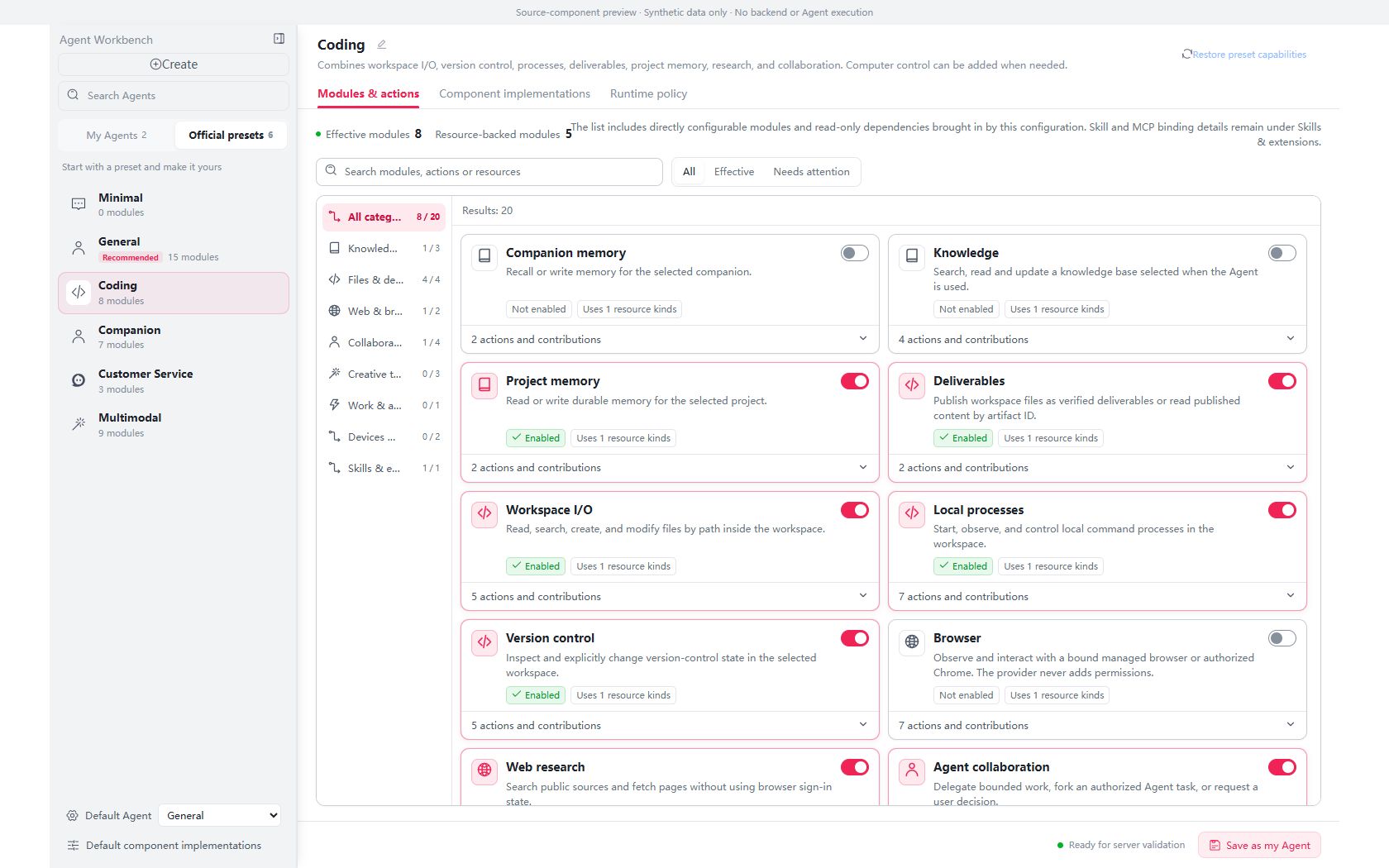
The demos above are drawn live in front-end code; these are real product captures. Every shot is from an actual running NomiFun (dark theme) — tap through to the matching guide.
-
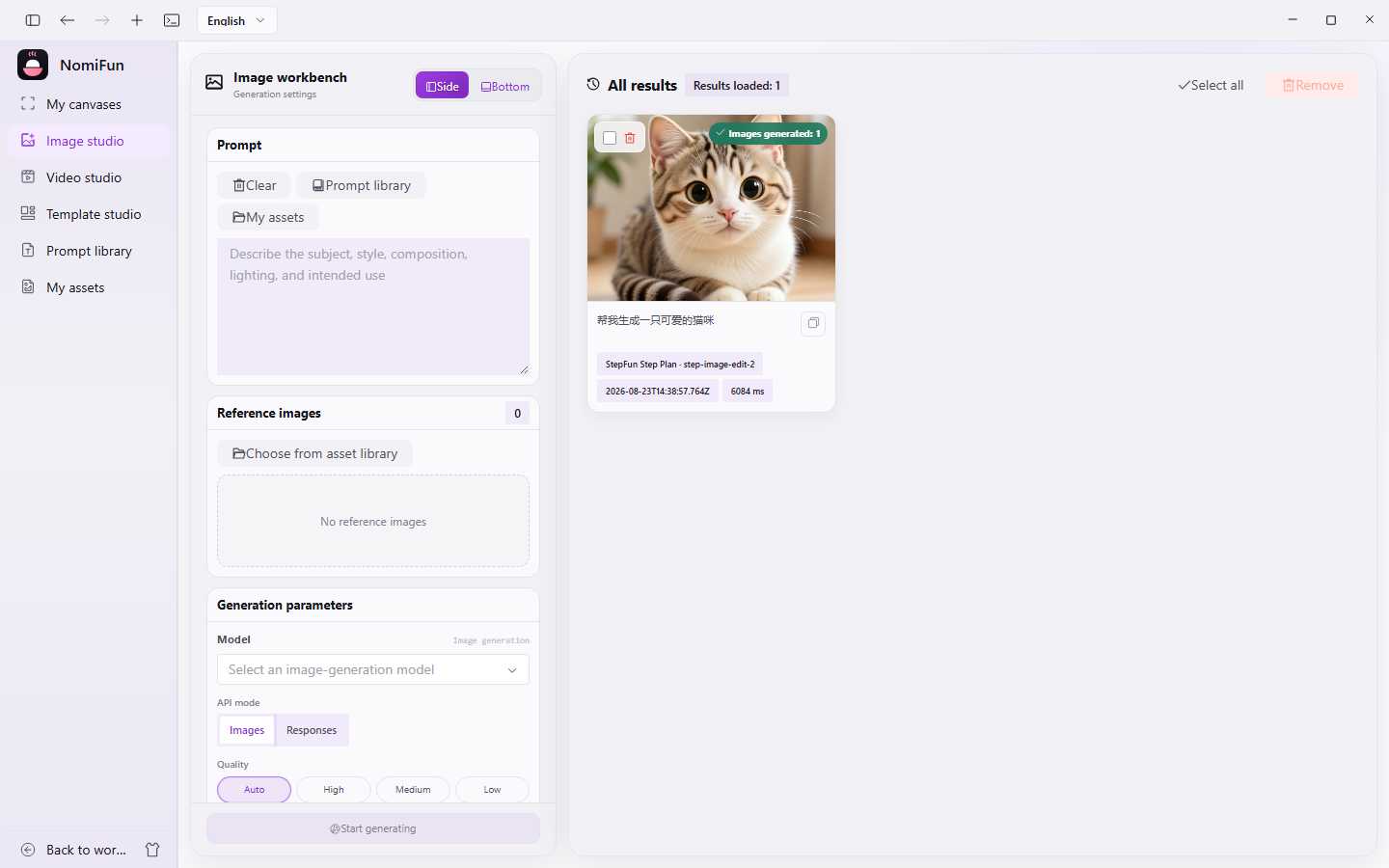
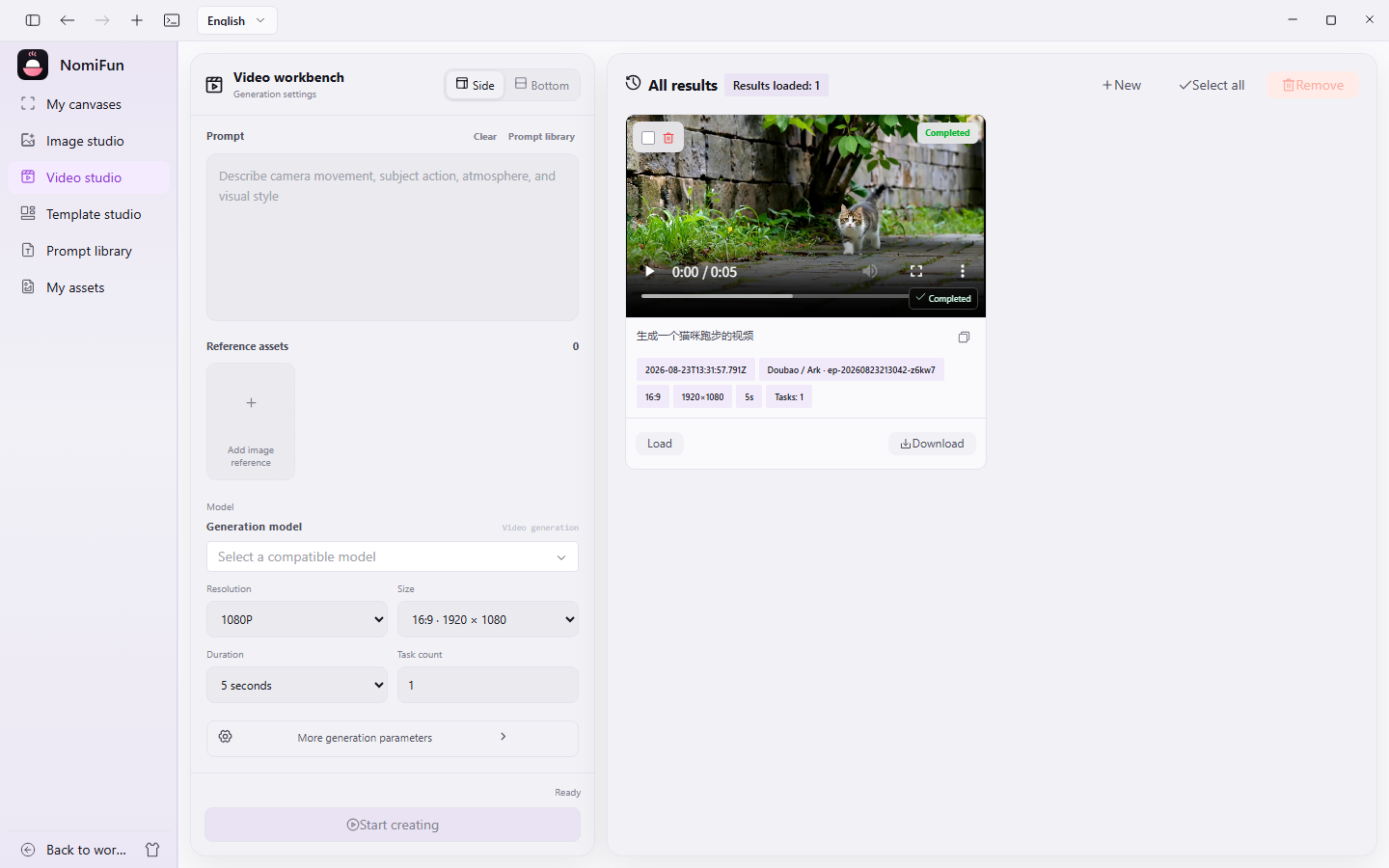
Real capture Session workspace: messages, file tree, preview & built-in terminal View guide -
Real capture Chatting with a desktop companion View guide -
Real capture Requirements · AutoWork list View guide -
Real capture Model management & failover View guide -
Real capture Knowledge base home View guide -
Real capture Open capabilities · WebUI remote access View guide
All captures are from the actual running app; the UI keeps evolving — your local build is the source of truth.
A few things are still on the roadmap
We only advertise what already ships. The items below are either on the way, or deliberately held back from the open-source build for data-security reasons — better said upfront than discovered the hard way.
- On the roadmap
Per-companion private memory
Today there is a shared memory hub plus a per-companion skill library. More granular, companion-isolated private memory is in design.
- On the roadmap
Inbound issue / IM → tasks
Completion notices push outbound to Lark / Slack / HTTP webhook; the reverse — turning inbound issues or IM messages into tasks — is not live yet.
- On the roadmap
Notion as a knowledge source
The Feishu connector is implemented; Notion as a knowledge-base source is still on the roadmap, not yet implemented.
- On the roadmap
WeCom (企业微信) channel
11 IM channels have landed. WeCom is on the way — once shipped it closes the last gap for in-company collaboration.
- Security-conscious · not in OSS yet
More dazzling capabilities
For data-security reasons, several more advanced features are held back from the open-source build. Putting peace of mind first is a deliberate trade-off.
A word, plainly
This project is built part-time by a solo author with limited bandwidth, so iteration and fixes may not move as fast as you would like. Thank you for your patience — and a genuine invitation to build it together. More hands, faster road.
See how to contributeBuild NomiFun with us
NomiFun is built part-time and is in its pre-1.0 growth phase. Whether you write code, run communities, or love to share — there is a place for you here.
Right now we really need these roles to grow the project
-
Contribute code
Open PRs, fix bugs, sharpen capabilities. Every merge counts toward your contribution score and keeps your name in the project.
contributions -
Community ops
Answer questions, organize discussions, curate docs and best practices — turning scattered enthusiasm into a sustainable community.
community ops -
Evangelist
Write posts, give talks, record videos — introduce NomiFun to the people who need it and help good work get seen.
evangelist
A note on commercial use
Individuals and enterprises alike are free to modify and commercialize NomiFun, free of charge — that is your right under Apache-2.0, no permission needed from us.
If you do ship it commercially, we would love a quick note. Not for licensing — just that, as a developer, a word of recognition from real-world use means the world. A little positive feedback goes a long way.
Any legal risk from modification or commercial use is borne by the user.
Struggling to get models?
If you are having trouble finding usable models, reach out to the author — happy to help you find models, or to help you set up a unified model-service gateway.
Note: the author does not offer this as a service yet, but is glad to lend a hand with the problem in front of you.
Contact us